
Find out what that charge actually was
Your bank gives you a code. Klir gives you a sentence. Every account on one screen, every charge explained in plain English.
Free. No card. We email you the day it opens.
What Klir does
Three things, done properly
No net worth projections, no lectures, no budgeting course. Klir does a small number of things and does them clearly.
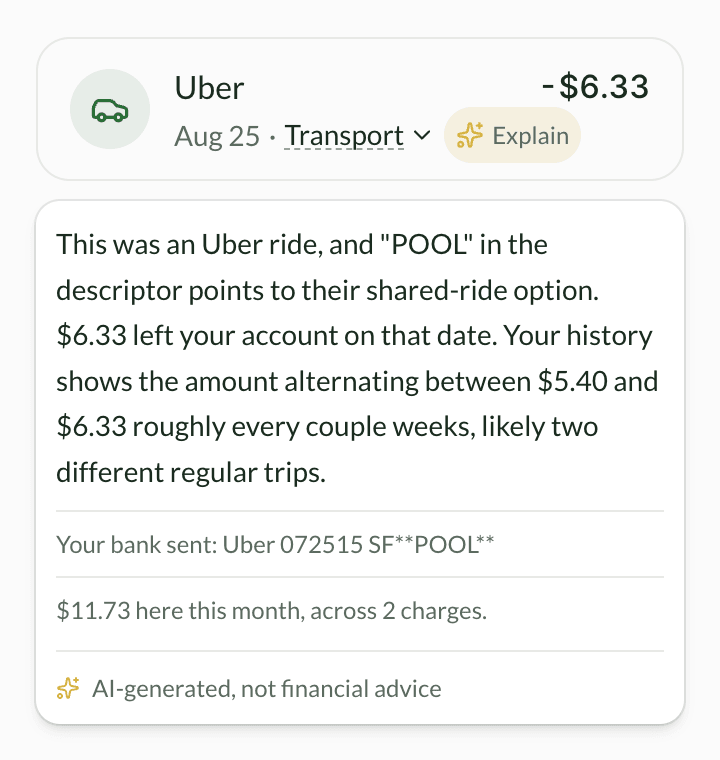
Explains any charge
Klir reads the raw line your bank sent, not the tidied-up name, and tells you what the odd part means and what that merchant has cost you this month.
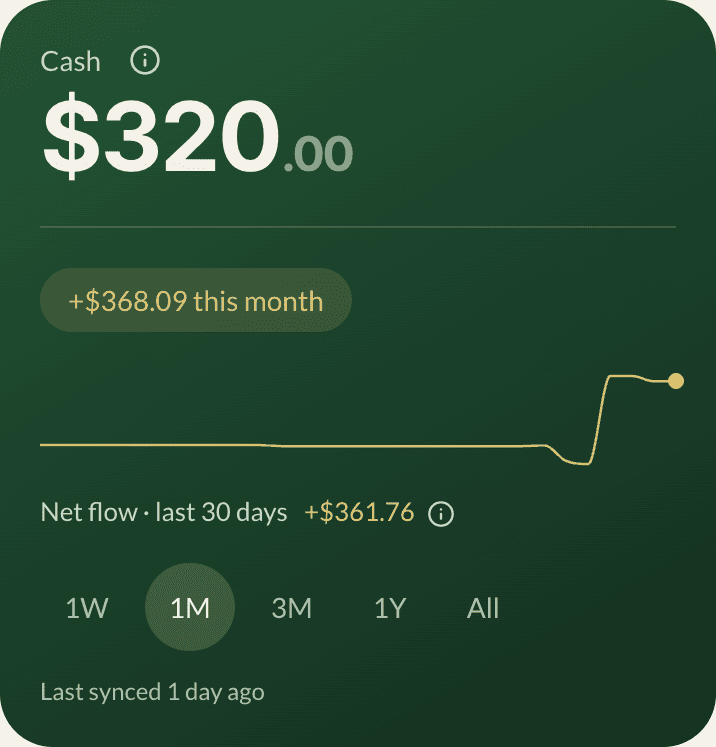
One number for your cash
Checking plus savings across every bank you connect, with credit cards shown separately and never quietly added in.
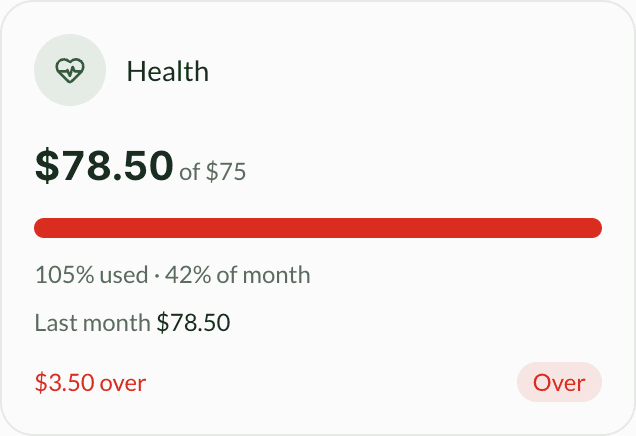
Where the month went
Spending by category against a limit you set, with a progress bar, so you can see whether you are ahead of the month or behind it.
Klir can only read. It can never move, send, or spend your money. Not even by accident.
There is no transfer screen in Klir, no payment button, and nothing in the connection that would allow one. Reading is all it is permitted to do.
How the connection works
Your bank password never touches Klir
Bank connections are handled by Plaid, the same service Venmo and Robinhood use. You sign in on a screen Klir does not run and cannot see. Klir receives read-only access to your accounts and your charges, and no permission that could move money. The Privacy Policy lists field by field what it does receive.
You tap Connect a bank
Klir hands you to Plaid and stops there.
You sign in to your bank
On a screen Klir does not run, so your password never reaches us.
Klir receives permission to read
Balances and charges. Nothing that could move a cent.
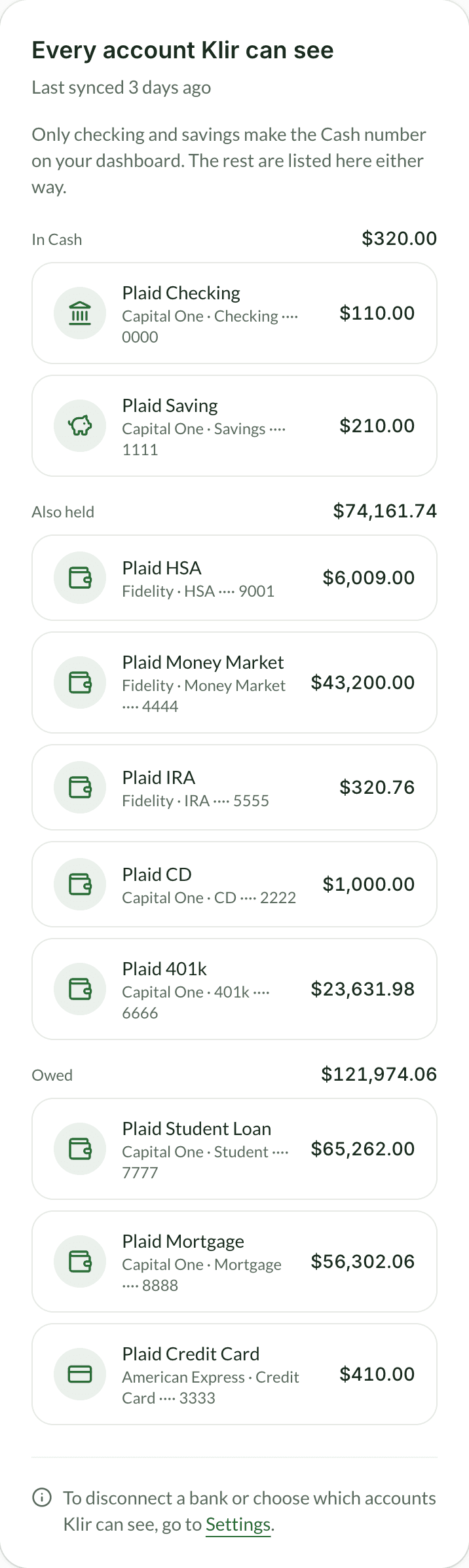
Before you connect anything
The three questions people ask
Each of these is answered in full somewhere else on this site rather than summarised here, so you can read the actual wording instead of our description of it.
What we collect
Your email, your balances and transactions, and the settings you choose. The policy lists it field by field instead of summarising it.
Read the privacy policyWhat we never do
We do not sell your data. You will not see ads or loan offers here, and read-only rules out the business models that would need them.
How Klir makes moneyHow you leave
Export every charge Klir holds as a spreadsheet, or delete your account and everything in it, from inside the app. No email, no waiting.
How deleting works
Who builds it
A real company you can write to
Klir is built and operated by JMM Technologies LLC. If something is wrong, or you just want to ask a question, the address below reaches a person.
Company
JMM Technologies LLC
Registered in New York, United States
Contact
support@klirapp.comGet in early
Klir opens to everyone on 23 September. Add your email and we will tell you the day it does.
Free. No card. We email you the day it opens.
Already have an account? Log in